Pay NBI Clearance In 7-Eleven | Full Guide

To pay for NBI clearance via 7-Eleven, first complete your NBI online application, select 7-Eleven as your payment method, and save your reference number. Then, visit a 7-Eleven branch with a CLiQQ kiosk, print your payment slip, pay the fee at the cashier, and verify your payment before your appointment. Below is a detailed tutorial.
How To Pay NBI Clearance In 7-11?
Here is the step-by-step tutorial to pay NBI in 7/11:
Step 1: Book an Appointment
- First of all, schedule an NBI online appointment.
- Fill in the required details, choose your preferred NBI branch, select your appointment date and time, and choose 7-Eleven as your payment method.
- After confirming your appointment, the system will generate a payment reference number. Save or take a screenshot of this number, as you will need it to pay at 7-Eleven.
Step 2: Visit a 7-Eleven Branch with a CLiQQ Kiosk
- Go to any 7-Eleven branch that has a working CLiQQ kiosk. If you’re unsure whether the branch has one, ask the store staff before proceeding.
- On the CLiQQ kiosk, tap Bills Payment and select NBI from the list of billers.
- Enter the following information:
- The kiosk may automatically display the payment amount. Confirm that the NBI clearance fee is ₱155 before proceeding.
- Review the information displayed on the screen to make sure everything is correct. Confirm the transaction, and the CLiQQ kiosk will print a payment slip.
Step 3: Pay at the Cashier
Take the printed payment slip to the cashier and pay ₱155 in cash. After payment, collect the official 7-Eleven receipt and keep it as proof of payment until your NBI clearance application is completed.
Step 4: Verify Your Payment Status
After some time, log in to your NBI Clearance Online Services account and check that your payment status has been updated to Paid before attending your scheduled appointment.
In this way, you can pay for NBI clearance via 7-Eleven. The same process words for NBI renewal payment.
Why Choose 7-11 For NBI Payments?
Here is why you should choose 7-Eleven to pay for NBI:
How Much Is the NBI Clearance Fee at 7-Eleven?
Item | Amount (PHP) |
|---|---|
NBI clearance fee | ₱130 |
NBI e‑payment service fee | ₱25 |
Total to pay at 7‑Eleven | ₱155 |
Troubleshooting The Common Errors
Before visiting a 7-Eleven branch, it’s helpful to know the exact amount you’ll need to pay for your NBI Clearance. The total includes the standard NBI clearance fee along with a small e-payment service charge. Here’s a quick overview of the payment details:
Reference Number Not Working
This usually happens when the reference number is entered incorrectly, has expired, or does not match the details in your NBI application.
CLiQQ Kiosk Is Unavailable
Some 7-Eleven branches may have a CLiQQ kiosk that is temporarily offline, under maintenance, or not available at that location.
Payment Status Is Still Pending
Your payment may not appear immediately because it takes time for the transaction to be processed and updated in the NBI system.
Incorrect Payment Amount
This issue may occur if the wrong payment details are entered or the transaction information is not reviewed before confirmation.
Payment Receipt Lost
Losing the receipt can make it difficult to prove your payment if the transaction does not immediately appear in your NBI account.
Missed NBI Appointment
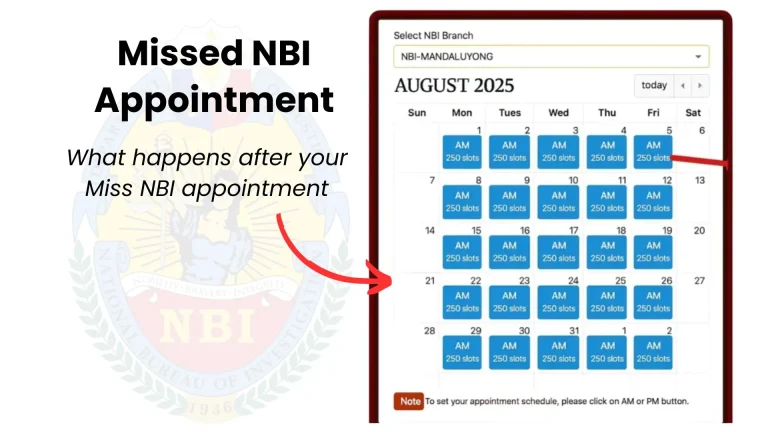
If you fail to attend your scheduled appointment, your payment remains recorded, but you may need to arrange another appointment. Also, check details guide about what happens if you miss an NBI appointment.
FAQs
Conclusion
Paying your NBI clearance fee through 7-Eleven is quick and easy. Simply complete your NBI online application, choose 7-Eleven as your payment method, generate a payment slip at the CLiQQ kiosk, and pay ₱155 at the cashier. It is a convenient option because 7-Eleven has branches across the Philippines and accepts cash payments. If you experience any payment issues, keep your receipt, check your payment status in your NBI account, and contact NBI support if needed.